Pass the BIR check without the paperwork stress
Record a sale once. Godo prints your invoice in BIR format, writes your books and prepares your CAS forms, so audit day is just another day.
CAS update kit
Drafts filled in from your company dataFrom busywork to business as usual
What changes the week you move bir accounting into Godo.
BIR accounting, screen by screen
Real screens from the product, with sample data.
Invoices in the format your business needs
Godo chooses the invoice format from the tax type in your Company Settings, so a non-VAT business can never print a VAT invoice. Your own Acknowledgement Certificate or PTU details go at the bottom of every invoice.
- VAT, VAT-exempt, zero-rated and non-VAT formats
- Certificate or PTU number, date issued and series range at the bottom
- Prefer your current look? Keep your existing invoice format
Formats are based on BIR sample invoices. Confirm with your accountant or the BIR that your invoices meet your own registration.
Contact usSeries range: [your range]
THIS INVOICE IS COMPUTER-GENERATED.
Books that write themselves
Every sale and bill posts to the ledger once. Your journals and ledgers are ready to print when an examiner or your accountant asks.
- General journal and general ledger
- Cash receipts and disbursements books
- PDF and CSV exports
Your filing calendar, with the numbers already in
Pick the forms your business files. Godo shows what is due, the amount from your own books, and warns you 7 days and 1 day before the deadline.
- 2550Q, 2551Q, 0619-E, 1601-EQ and 2307
- Mark returns as filed with the reference number
- Withholding certificates for your suppliers
Your CAS forms, filled in for you
Your company details are already in Godo. The CAS kit puts them into the BIR forms, so you review, sign and submit. Godo prepares drafts only. You sign, notarize and file with your RDO, and the BIR decides.
- Annex E, C-1 and B drafts from your live data
- Sample invoice, sample books and audit trail printout
- A read me that shows what is blank and what to sign
Records an examiner can open, and you can trust
Create a read-only login for the examiner that ends on the date you choose. Every page they open is logged. Each year Godo seals a locked copy of your records.
- Read-only examiner access with an end date
- Records export as CSV files in one zip
- Yearly sealed archive, made every 2 January
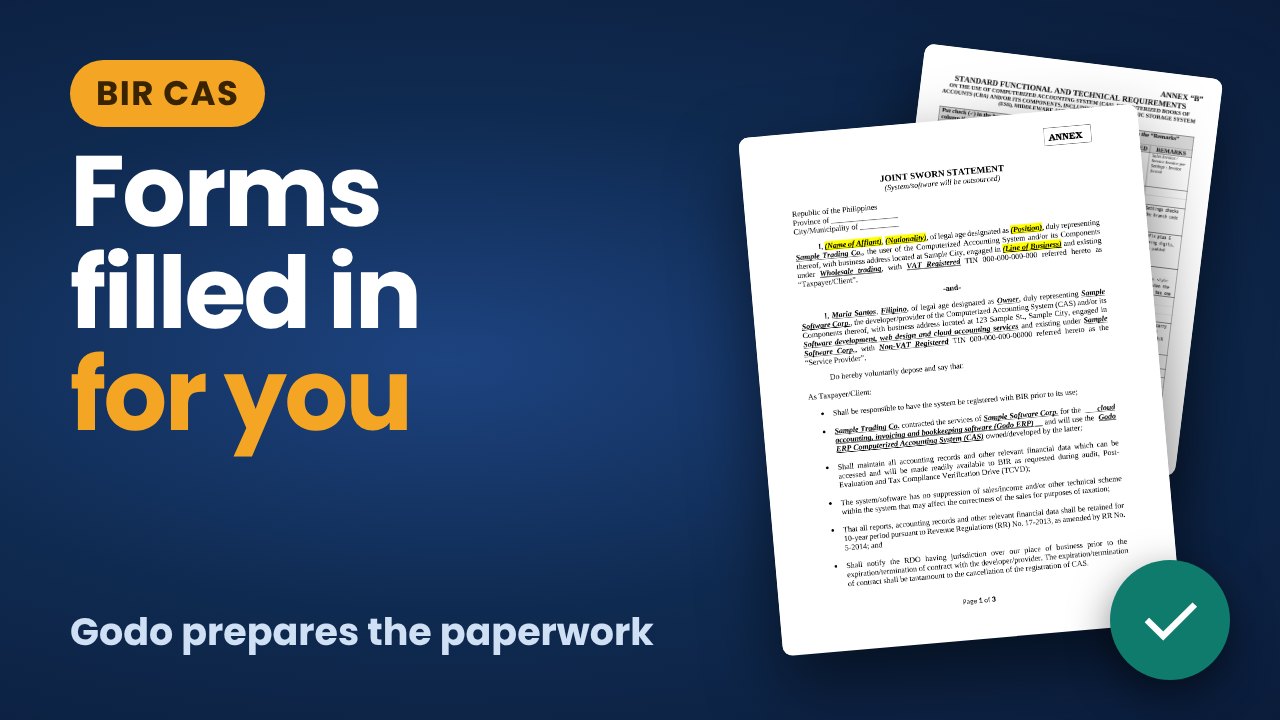
Your CAS forms, filled in for you
Your company details are already in Godo. Watch how the CAS kit puts them into the BIR forms, so all you do is review, sign and submit.
- Annex E, C-1 and B drafts from your live data
- Sample invoice, sample books and audit trail printout
- A read me that shows what is blank and what to sign
More of what BIR accounting does for you
Every feature below is in the product today.
Invoices your clients can claim
Your TIN, branch code, series and system details print the way the BIR expects, on invoices and credit notes.
Books that write themselves
General journal, general ledger and subsidiary books come straight from your entries, ready to print or export.
Tax figures that match
VAT, percentage tax and withholding summaries use the same records, so your numbers agree across forms.
A trail the examiner can trust
Every change is logged with who, what and when. Log entries cannot be edited or deleted.
A filing calendar with dates
See which forms are due, the amount from your books, and get a reminder before each deadline.
Help from people who know the forms
Contact us about your tax type and what you need, and we will set Godo up with you.
The full list
Invoices and sales
- Invoice format chosen from your tax type
- Acknowledgement or PTU details printed at the bottom
- Credit notes and partial payments
- Print, PDF and email
Books and reports
- General journal and general ledger
- Cash receipts and disbursements books
- Trial balance and financial statements
- PDF and CSV exports
Tax and records
- VAT, percentage tax and withholding summaries
- Filing calendar with reminders
- Locked audit trail
- Period lock for finished months
CAS add-on
- Annex E, C-1 and B drafts with a read me
- Sample invoices, sample books and audit trail printout
- Read-only examiner login that ends on a date you choose
- Records export and yearly sealed archive
Up and running in a day
Contact us
Tell us your tax type and what you need: invoices, books, payroll or the CAS add-on.
We set up your company
We confirm your TIN, RDO and tax type, so everything starts correct.
Send your first invoice
Record a sale, print the invoice and watch it appear in your books.
Made for Philippine service businesses
Freelancers and non-VAT businesses
Percentage tax ready, simple invoices and books without an accountant on call.
VAT-registered SMEs
Sales and purchase records, withholding and certificates in one system.
Companies applying for CAS
Draft the Annex forms from your own data instead of retyping them.
Accounting firms and bookkeepers
Clean audit trail and drafts for every client company.
BIR accounting questions, answered
Does Godo file my CAS application?
No. Godo prepares the Annex drafts from your data. You review them, sign, notarize and submit them to your RDO yourself.
Does Godo come with BIR approval?
No. Each business registers its own accounting system with its RDO, and approval comes only from the BIR. Godo gives you the books, reports, forms and records to support that. Confirm your requirements with your accountant.
Do I need the CAS add-on to use Godo?
No. Invoices, books and tax reports work without it. The add-on is for companies that plan to apply for CAS or update a registration.
How much does Godo cost?
It depends on what your business needs, such as invoices, books, payroll or the CAS add-on. Contact us and we will give you a clear quote.
Can the BIR examiner see my data?
Only what you allow. You create a read-only login that ends on a date you choose, and you can end it earlier.
Who is behind Godo?
Godo is made by GoDoWeb, for businesses across the Philippines.
Ready for audit day before it arrives?
Tell us about your business and we will show you how Godo fits.